How to play Ludo with friends on one phone
Set up a 2, 3 or 4 player Ludo game on a single phone, mix friends and computer players, and keep pass-and-play games fun and fair.
You don't need four phones, an app download or an account to play Ludo with friends and family. On Gamesupa, everyone can play on a single phone or tablet, passing it around the table, just like a real board. This guide shows how to set it up and how to keep the game flowing.
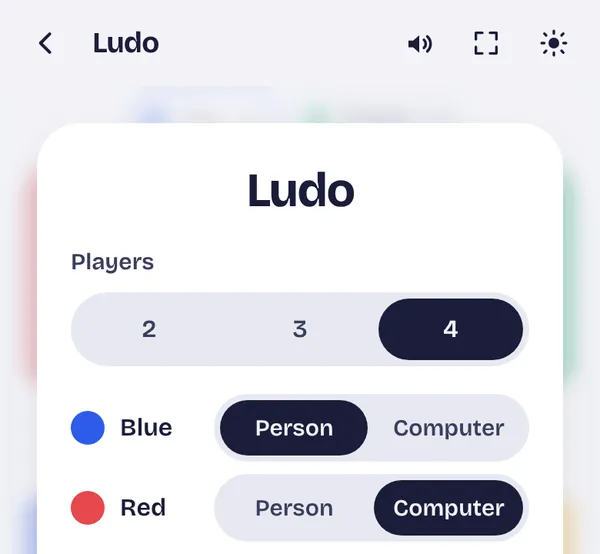
Step 1: Open Ludo and choose the players
Open the Ludo page in your phone's browser. The start screen asks how many players there are. Choose 2, 3 or 4. Each player gets a colour: blue, red, green and yellow, sitting in the four corners of the board.
Step 2: Person or computer for each colour
Next to each colour you can choose Person or Computer. This makes it easy to fill an empty seat:
- Four friends: set all four colours to Person.
- Three friends: choose 3 players, or choose 4 and let the computer play the fourth colour for a fuller board.
- Two friends: play head to head, or add one or two computer players to make it more crowded and exciting.
- Just you: set one colour to Person and the rest to Computer.
Then tap Start game.
Step 3: Pass the phone
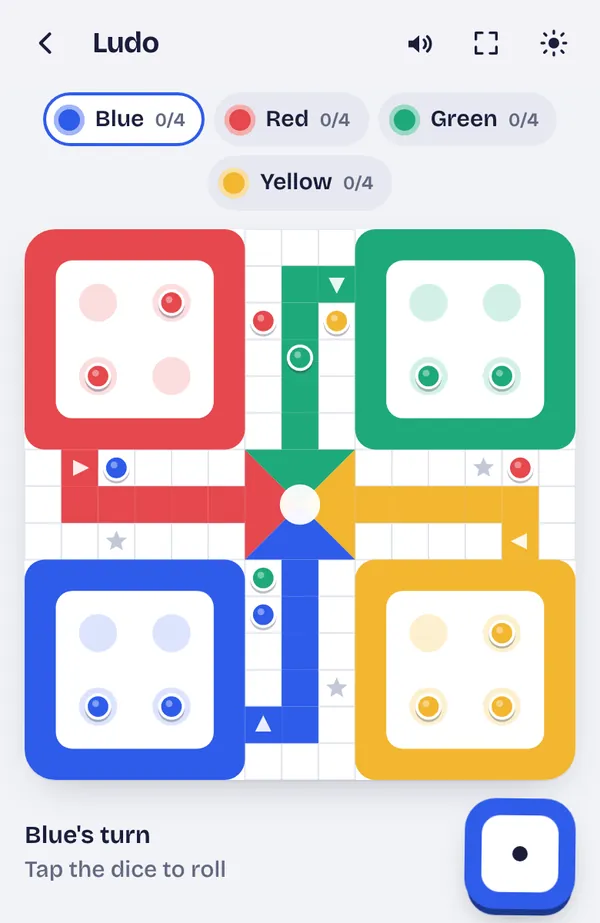
The game shows whose turn it is above the board, and the player chips at the top highlight the current colour. On your turn, tap the dice to roll. If more than one token can move, the movable tokens are highlighted, and you tap the one you want. If only one move is possible, it can happen automatically. Then pass the phone to the next player.
When a computer player's turn comes, it rolls and moves on its own, so you only need to pass the phone between people.
Tips for a smooth game
- Put the phone flat in the middle of the table. Everyone can see the board, and nobody has to hand the phone around if they can reach it.
- Sit by colour. Blue is at the bottom left of the screen, red top left, green top right and yellow bottom right. Sitting on the same sides as your colour makes the board easier to follow.
- Turn the sound on. The dice roll, captures and tokens reaching home all have their own sounds, which helps everyone notice what happened even when it isn't their turn.
- Use a tablet if you have one. A bigger screen is easier for four people around a table.
- Don't worry about interruptions. The game is saved after every move. If the doorbell rings or someone takes a call, you can close the page and carry on later from the same position.
The rules everyone should agree on
Most arguments in Ludo come from different house rules. On Gamesupa the rules are fixed, so there is nothing to argue about:
- You need a 6 to bring a token out of the yard.
- A 6, a capture or getting a token home gives another roll. Three 6s in a row ends your turn.
- Landing on a rival's token captures it and sends it back to the yard, except on the start squares and star squares, which are safe.
- There are no blocks: tokens can always pass each other.
- You need the exact number to reach home. The first player with all four tokens home wins.
For the full explanation, read Ludo rules explained.
Want to play on different phones?
Gamesupa's Ludo is built for playing together in the same room on one device. It doesn't connect separate phones over the internet. The good news is that there's nothing to install and no account to make, so anyone can open it in a few seconds and join the game at the table.
Use the share button on the win screen to send the link to your family group, so everyone has the game ready for the next get-together.
Want to win more often? Read Ludo strategy: how to win more games.